FSLeyes Integration
FSLeyes
is part of the larger FSL package, which is a library
containing tools for FMRI, MRI, and DTI brain imaging data. FSLeyes is the image viewer for this package, and can
be installed as either part of the FSL package, or as a standalone app.
Previously, SCT provided instructions on how to install FSLeyes into the SCT environment. However, we now request that you install FSLeyes separately and manage the installation on your own. You can find installation instructions for FSLeyes at this link.
Warning
If you choose to install FSLeyes via a complete FSL installation, you will need to update ‘wxpython’ (an internal package used by FSLeyes). This is because the version of ‘wxpython’ that comes with FSL is out of date (more info here).
To update, please run one of the the following commands (depending on your FSL version):
Note
The terminal commands in these instructions may require administrative privileges, depending on where you have installed FSL.
FSL 6.0.6 or newer:
$FSLDIR/bin/conda update -n base wxpython
FSL 6.0.2 to 6.0.5.2:
$FSLDIR/fslpython/bin/conda update -n fslpython -c conda-forge --update-all wxpython
Then, restart FSLeyes.
SCT + FSLeyes
SCT has a plugin script that can be used with the FSLeyes interface (GUI).
To enable the SCT plugin:
Open
FSLeyesapplication.File->Run scriptSelect the script
spinalcordtoolbox/contrib/fsl_integration/sct_fsleyes_script.py
You should see something like this appear in the FSLeyes interface:
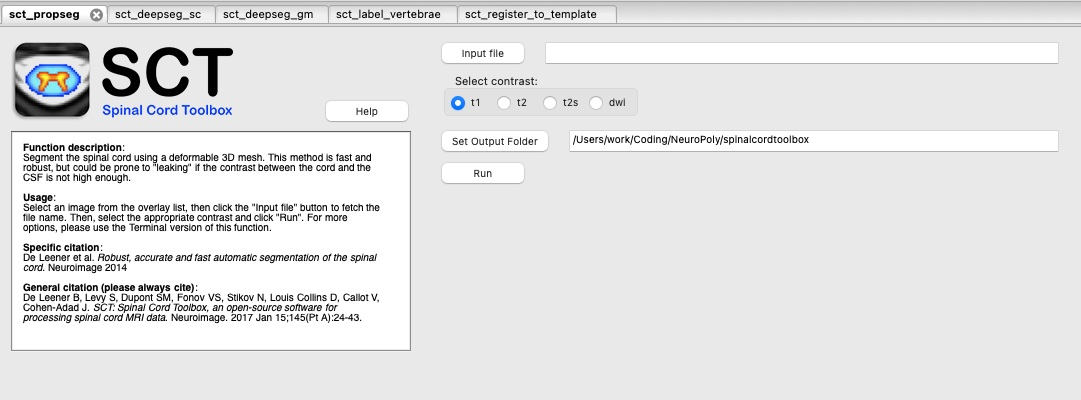
Demonstration
The YouTube video below demonstrates the FSLeyes plugin in action: